Compare · Digital business card with a scanner
Krane vs Haystack
Haystack is a free digital business card for people and companies, with an unlimited card scanner built in. Krane is a scanner for iPhone, iPhone Duo and iPad, built for badges, events and CRM sync.
Facts about Haystack checked on its own pages, November 8, 2026
Drawing: a Haystack-style digital business card with a QR code, and three scanned contacts grouped by typing the hashtag #expo2026 into each contact's notes.
Drawing: a paper business card for Jane Cooper, Head of Sales at Northwind Labs, read by Krane into a contact with the name, title, company, mobile number, email and website each in its own field.
- Free plan
- HaystackUnlimited card scans; no CSV export or CRM
- Krane10 scans a week, no account
- Paid plan (US)
- HaystackPro $7.95 per user a month ($4.50 a month billed yearly); Business $4.95 ($2.50 billed yearly)
- Krane$11.99 a month or $95.99 a year
- Native CRM sync
- HaystackSalesforce, Dynamics, HubSpot on paid plans
- KraneHubSpot, Salesforce, Pipedrive (Pro)
The short answer
Pick Haystack if you want a digital card to hand out and a free way to scan the paper cards you get back; its free plan scans unlimited cards. Pick Krane if you work trade shows: it reads badge codes, files every scan under the event, reads with no signal and sends contacts to HubSpot, Salesforce or Pipedrive with Krane Pro.
Haystack is also the choice for Android, for a web contacts app, or for a company rolling cards out to staff through HR sync and single sign-on. Krane runs only on iPhone, iPhone Duo and iPad, needs no account, and keeps your cards on the device. If you scan a few cards a month and never export them, Haystack free may be all you need.
When Haystack is the better pick
- You scan more than 10 cards a week and don’t want to pay. Haystack’s Personal plan lists unlimited card scans, as of November 8, 2026.
- You want your own digital card. Haystack’s is free, shared by QR code, link, email, text message or NFC; the other person doesn’t need the app.
- You use Android, or want a web contacts app as well as the phone.
- Your company is rolling cards out to staff. Haystack has an admin dashboard, HR sync with Entra ID, Google Workspace, Workday and SAP, and Google or Microsoft single sign-on.
If the card you hand out matters as much as the cards you collect, Haystack covers both and Krane covers one.
Haystack's siteWhen Krane is the better pick
- You collect badges. Krane reads the QR, PDF417 and Aztec codes on badges and merges them with the printed name, title and company. Haystack’s pages don’t mention badge scanning.
- You want each show’s contacts in one list. Start an event and every scan is filed under it, with where you met and the event’s tags filled in.
- The venue has no signal. Krane reads the card on your iPhone right away and checks it again when you’re back online.
- You use Pipedrive, or don’t want an account. Krane syncs to HubSpot, Salesforce and Pipedrive with Krane Pro, and never asks you to sign up.
These matter most to someone who comes home from a show with 100 badges.
Side by side
Haystack and Krane, feature by feature
| Feature | Haystack | Krane |
|---|---|---|
| What it is | Digital business card platform with a card scannersource | A business card and badge scanner |
| Platforms | ✓ iPhone, Android, websource | ◐ iPhone, iPhone Duo and iPad |
| Works without an account | ✕ No, contacts are saved in your Haystack accountsource | ✓ Yes, there is no account at all |
| Free plan | ✓ Unlimited card scans; no CSV export or CRMsource | ✓ 10 scans a week, no account |
| Paid plan (US) | Pro $7.95 per user a month ($4.50 a month billed yearly); Business $4.95 ($2.50 billed yearly)source | $11.99 a month or $95.99 a year |
| How paper cards are read | ✓ OCR from a photo of one or both sides; 25+ languagessource | ✓ Read on the iPhone at once, checked again online; every field filled |
| Several cards at once | ? One card per scan is documentedsource | ✓ Card after card; a group of cards from one photo (Pro) |
| Reads cards with no signal | ? Unknown | ✓ Yes, read on the iPhone, checked again when back online |
| Event badges | ? Not documented | ✓ QR, PDF417, Aztec and other codes, merged with the printed name |
| Cards filed by event | ◐ Hashtags in notes; no events feature documentedsource | ✓ Yes: every scan during an event is filed under it |
| Native CRM sync | ◐ Salesforce, Dynamics, HubSpot on paid planssource | ✓ HubSpot, Salesforce, Pipedrive (Pro) |
| Zapier or webhook | ✓ Zapier, webhooks and a REST APIsource | ✓ Signed webhook for Zapier, Make, n8n (Pro) |
| Export to Excel / CSV | ◐ CSV / Excel on paid planssource | ✓ CSV of one event or all cards (Pro) |
| Where your contacts live | Haystack's cloud, synced (SOC 2 Type II)source | On your iPhone; backup to one file |
| Team admin | ✓ Admin dashboard, HR and directory sync, SSOsource | ✕ No: each person on their own Apple Account |
| Digital business card | ✓ Yes, unlimited cards free: QR, link, NFCsource | ✕ No; shares any card as a vCard |
Haystack: read on Haystack's own website, help pages and App Store listing on November 8, 2026; "Unknown" means we couldn't confirm it there. Prices are US list prices; plans change, so check Haystack before you buy. Krane Pro's price is the US price; the App Store shows the price for your account and country. Something wrong or out of date? Write to [email protected].
What Haystack is, and what Krane is
Haystack is a digital business card platform. Its core is the card you share: by QR code, link, email, text message or NFC, to people who don’t need the app, with an email signature to match. Companies roll it out through an admin dashboard, HR sync and single sign-on, and admins can see the cards employees share with the company. The paper card scanner is one feature of that platform, included in the free plan.
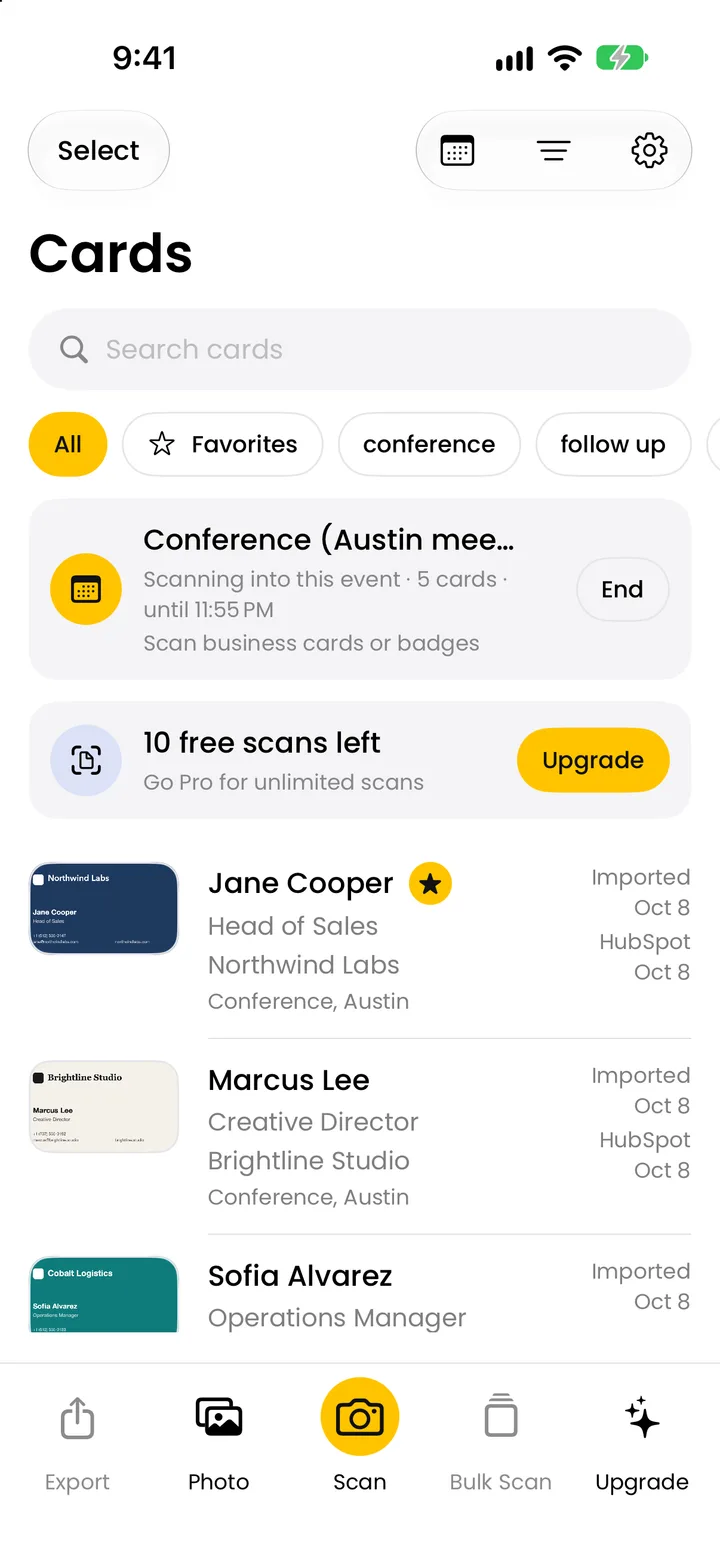
Krane is a scanner. It reads business cards and event badges on iPhone, iPhone Duo and iPad, files them under the event you are at, and gets them out again: to Apple Contacts, a vCard, a CSV file or a CRM. It has no digital card to hand out, no web app and no team dashboard.
The difference is in kind: Haystack is a card you give, with a scanner attached. Krane is a business card scanner for the cards and badges you are given.
Scanning paper cards
Haystack reads a photo of one card, one or both sides; its help center says it uses optical character recognition. You confirm the email, then can send the person your own digital card. Its FAQ says it reads cards in more than 25 languages. Haystack’s pages don’t say whether the reading happens on the phone or on a server, and don’t mention scanning several cards in one photo.
Krane’s camera has two modes. “Card or badge” shoots each card as soon as it is still, so you lay cards on the table one after another and it reads each while you set down the next. Free users can scan three in a row per session. “Group of cards”, with Krane Pro, reads a whole spread from one photo. Add the back of a card and both sides go into one contact. Krane reads almost any language and script, including Japanese, Chinese and Korean, and adds a Latin spelling for names in another script.
The scan limits differ most. Haystack’s Personal plan lists unlimited card scans. Krane is free for 10 scans in a rolling seven-day week; Krane Pro removes the limit. Someone who scans 30 cards once a month and never exports them pays nothing with Haystack and hits Krane’s free limit at the tenth card.
At trade shows and events
Show badges carry a code, usually QR, PDF417 or Aztec, and the printed name, title and company. Krane reads both and saves one contact. If the code holds a vCard, an email or a phone, it is merged with the printed details; if it holds only an attendee number, you still get the name, title and company from the print. Some shows encrypt their badge codes so only the official lead retrieval app can read them. Krane can’t decode those, and still saves the printed name, title, company and event. Haystack’s pages don’t mention badge scanning or reading other people’s QR codes.
In Krane you start an event when you arrive, and every card and badge is filed under it, with “Met at” and the event’s tags filled in. The event screen lists its cards and companies and exports them in one go. Haystack groups scanned cards with hashtags in the notes and sorts by company; its pages don’t describe an event feature.
Krane reads each card on your iPhone right away and checks it again when you’re back online. Haystack’s pages don’t say how it behaves with no connection. The badge scanner page lists every code type Krane reads; trade show lead capture covers the booth day.
Getting contacts into your CRM
Haystack connects to Salesforce, Microsoft Dynamics and HubSpot on a paid plan. Its FAQ says Business and Enterprise; its pricing page lists CRM integrations from Pro, so check the plan before you buy. It also lists Zapier, webhooks and a public REST API, without saying which plan includes them. CSV or Excel export, of all contacts, the last 30 days or a date range, is on paid plans only.
Krane syncs with HubSpot, Salesforce and Pipedrive with Krane Pro, straight from the app; the tokens stay on your iPhone. HubSpot gets a contact, updated if one with the same email exists. Salesforce gets a Lead or a Contact, your choice, with the event, where you met, tags and notes in the Description field. Pipedrive gets a person, linked to an organization with the card’s company name, and a note carrying the event and your tags. The webhook posts each card as JSON to a URL you choose (Zapier, Make, n8n), signed with a shared secret. Send one card, a selection, a whole event, or every new scan automatically. CSV export, of one event or all cards, is also Pro.
Krane doesn’t connect to Dynamics 365, and Haystack doesn’t list Pipedrive.
Price
Haystack’s prices, as listed on November 8, 2026: Personal is free. Pro is $7.95 per user a month, or $4.50 per user a month billed annually. Business is $4.95 per user a month, or $2.50 billed annually, each with a 14-day trial. Enterprise is usage based, through sales. The pricing page shows a dollar sign without naming the currency.
Krane is free for 10 scans a week. Krane Pro is $11.99 a month or $95.99 a year (US), billed through the App Store, with no trial; the free plan is how you try it. The App Store shows the price for your account and country. The pricing page lists everything Pro adds.
| Plan | Haystack | Krane |
|---|---|---|
| Free plan | Personal: unlimited cards, shares and card scans; no CSV export or CRM | 10 scans a week; events, badges, offline reading, Apple Contacts |
| Paid plan | Pro $7.95/user/mo or $4.50/user/mo annual; Business $4.95/user/mo or $2.50/user/mo annual (as listed November 8, 2026) | Krane Pro $11.99 a month or $95.99 a year (US) |
| What the paid plan adds | CSV export, CRM integrations; teams and admin on Business | Unlimited scans, group scan, CSV export, CRM sync, auto-send |
Where your contacts live
Haystack keeps contacts in a cloud account, synced across your devices and the web, with automatic backup. Its help pages don’t name the provider or the region. Its pricing page lists a SOC 2 Type II report, and its FAQ says it doesn’t sell data to third parties. Its App Store privacy label lists contact info, contacts, user content, identifiers and usage data as linked to you.
Krane has no account. Cards and CRM tokens are stored on your iPhone, and you back everything up to one file you can restore on a new device. There is no cloud sync between an iPhone and an iPad; you move cards with that file. Each card is read on your iPhone first, right away, and checked again when you’re back online. Krane’s privacy label lists device ID, product interaction and purchase history.
Switching
Switching from Haystack to Krane
Krane has no importer, so it can’t read a Haystack export, a CSV or a vCard file. What you move is the habit.
- Keep what you have in Haystack. Export a CSV from the app’s settings if you’re on a paid plan, or leave the contacts in your account.
- Install Krane on your iPhone, iPhone Duo or iPad. There is no account to create.
- Scan new cards with Krane from now on. At a show, start the event first.
- Photos of old cards in your photo library can be added to Krane, several at a time.
- Contacts you already saved to Apple Contacts stay there.
You can also run both: Haystack for the card you hand out, Krane for the badges and cards you bring home. Other apps are on the all comparisons page.
FAQ
Questions about Krane and Haystack
Is Krane a good Haystack alternative?
For the scanning side, yes if you work events: Krane reads badges, files scans by event, reads with no signal and syncs to HubSpot, Salesforce and Pipedrive with Krane Pro. It doesn’t replace Haystack’s digital card, because Krane has none. And Haystack’s free plan scans unlimited cards where Krane’s free plan stops at 10 a week.
Is Haystack free?
Haystack’s Personal plan is free and, as listed on November 8, 2026, includes unlimited cards, card shares and card scans. CSV export and CRM integrations need a paid plan, Pro or Business, each with a 14-day trial. Krane is free for 10 scans a week, with export and CRM sync in Krane Pro.
Which is cheaper, Haystack or Krane?
Both have a free plan. For paid plans, Haystack lists Pro at $7.95 per user a month, or $4.50 billed annually, and Business at $4.95 or $2.50, as of November 8, 2026. Krane Pro is $11.99 a month or $95.99 a year (US); the App Store shows the price for your account and country. Which costs less for you depends on how much you scan and if you need export.
Does Haystack scan business cards?
Yes. The Haystack app photographs a card, one or both sides, and reads the details with optical character recognition; its FAQ says it handles more than 25 languages. Scans are unlimited on the free Personal plan. Its pages don’t mention scanning several cards in one photo or reading badges.
Which one works without internet?
Krane reads each card on your iPhone right away and checks it again when you’re back online, so a hall with no signal doesn’t stop the line at your booth. Everything else in Krane, from events to Apple Contacts, works offline too. Haystack’s pages don’t say how it behaves with no connection.
Can Haystack and Krane scan trade show badges?
Krane does. It reads the QR, PDF417 and Aztec codes on badges, plus the printed name, title, company and event, and merges them into one contact. Encrypted badge codes can’t be decoded, and Krane still saves the printed details. Haystack’s pages don’t mention badge scanning.
Which CRMs do Haystack and Krane connect to?
Haystack lists Salesforce, Microsoft Dynamics and HubSpot on paid plans, plus Zapier, webhooks and a REST API. Krane connects to HubSpot, Salesforce and Pipedrive with Krane Pro, and posts to any webhook URL, so Zapier, Make and n8n work. Krane doesn’t connect to Dynamics 365; Haystack doesn’t list Pipedrive.
Do I need an account to use Krane?
No. You install Krane and scan; there is nothing to sign up for. Cards and CRM tokens stay on your iPhone, and you back everything up to one file. Haystack’s help pages say contacts are saved in your Haystack account and synced across devices and the web.
Does Krane work on Android?
No. Krane runs on iPhone, iPhone Duo and iPad only, with iOS 17.6 or later. There is no Android, web or desktop version. Haystack has an Android app and a web contacts app, which is a reason to pick it for a team on mixed phones.
Can I move my contacts from Haystack to Krane?
Not by import. Krane can’t read a CSV, a vCard or another app’s export. Keep your Haystack contacts where they are, or export a CSV on a paid plan, scan new cards with Krane, and add photos of old cards from your photo library. Contacts you saved to Apple Contacts stay there.
Is Haystack's card scanner really free?
By Haystack’s pricing page on November 8, 2026, yes: the Personal plan lists “AI card scanner (unlimited)”. What isn’t free is getting the contacts out, as a CSV or into a CRM; both need a paid plan. The App Store listing shows no in-app purchases for the Haystack app.
Can I use Haystack and Krane together?
Yes, and they don’t overlap much. Haystack gives you a card to share by QR code or link. Krane reads the cards and badges other people give you, files them by event and sends them to your CRM with Krane Pro. Nothing links the two apps; each keeps its own contacts.
Read the cards you're handed, straight into a contact.
Free for 10 scans a week. Krane Pro adds unlimited scans, export and CRM sync.
On a computer? Point your iPhone camera at the code, or text me the link.