Contact list template for Excel and Google Sheets
Pick the columns, download this free contact list template as .xlsx or CSV, or copy it into Google Sheets. Your browser builds it, with no sign-up.
Built in your browser. Nothing is uploaded, no account.
The template
Company Name · Person Name · Position · Address · Mobile 1 · Work 1 · Fax 1 · Phone 1 · Email 1 · Website 1 · Social 1 · Tags · Event · Met At · Notes · Follow-up · Additional Info · Date Scanned
Google Sheets: copy, then paste into cell A1 of a blank sheet. Or download the .xlsx and use File > Import > Upload.
What the template holds
Start with the default set. It has 18 columns, the ones Krane’s app writes when it exports a CSV (a plain-text spreadsheet file). A menu adds a second or third column for Mobile, Work and Email.
| Column | What goes in it |
|---|---|
| Company Name, Person Name, Position | Company, full name in one cell, job title |
| Address | On one line |
| Mobile 1, Work 1, Fax 1, Phone 1 | One number each; Phone has no label |
| Email 1, Website 1 | One address each |
| Social 1 | Written as “LinkedIn: handle” |
| Tags | Tags, separated by “; " |
| Event, Met At | The show or meeting; where you met |
| Notes, Follow-up | Your notes; a follow-up date |
| Additional Info, Date Scanned | Anything else on the card; the date added |
Three made-up contacts show what goes in each column. A checkbox removes them.
Using the template in Excel
- Pick a column set in the “Columns for” menu.
- Click Download .xlsx.
- Double-click the file. Excel opens one sheet, named “Contacts”.
- Type over the three example rows, or delete them.
- Add one person per row. The header row stays frozen at the top as your Excel contact list grows, and the phone, fax and postal code columns are set to text, so Excel keeps a leading zero or a “+”.
Using it in Google Sheets
This page keeps nothing online, so there is no “make a copy” link to a Google Sheets contact list template.
Import the file. Open a blank sheet. Choose File > Import > Upload, pick the .xlsx, choose “Replace spreadsheet” and click Import data.
Paste the rows. Click Copy for Google Sheets. Paste into cell A1 of the blank sheet. Each column lands in its own cell.
Set the phone columns. After a paste, a number written with spaces usually stays as typed. One without spaces that starts with “+” or “0” can be changed. Set the phone columns to Format > Number > Plain text before you type more.
Choosing a column set
Pick by where the list will end up. No set suits every list, so if you can’t say yet, keep the default.
| You want to | Column set | Notes |
|---|---|---|
| Keep a list in a sheet | Contact list (Krane’s columns) | The default, 18 columns |
| Keep a shorter sheet, with first and last name split | Short list (Excel / Google Sheets) | 15 columns |
| Import into Google Contacts | Google Contacts import | Emails and phones are Label and Value pairs |
| Import into Outlook | Outlook import | Outlook’s headers, in English |
| Import into HubSpot | HubSpot contacts import | HubSpot tells contacts apart by email address |
| Import leads into Salesforce | Salesforce lead import | Each lead needs a Last Name and a Company |
Import screens match columns to fields by header name, so matching names spare you the mapping step.
While you fill it in
- Keep one person per row and one value per cell. A second mobile number goes in Mobile 2, never beside the first.
- Type phone numbers with the country code (+1 415 555 0134). The text format keeps the “+”.
- Put several tags in one cell, separated by “; " (client; Chicago).
- Write every date one way (2026-11-12, never 11/12 in one row and “next week” in another).
- Save as CSV UTF-8 when an import asks for a CSV (in Excel, File > Save As > CSV UTF-8).
When the list is ready
Into an address book or a CRM. Google Contacts, Outlook, HubSpot and Salesforce each import a CSV. Start from the matching column set, delete the example rows and save the sheet as CSV UTF-8. For Google, go to contacts.google.com and choose Import (up to 3,000 contacts per file). In classic Outlook on Windows, choose File > Open & Export > Import/Export.
Onto a phone. A phone imports a .vcf, the vCard contact file. Drop your CSV on the VCF to CSV converter, set to CSV → VCF. Open the .vcf on the phone, then look at one contact. Are the name, number and email each in the right field?
Krane for iPhone
With Krane after a show
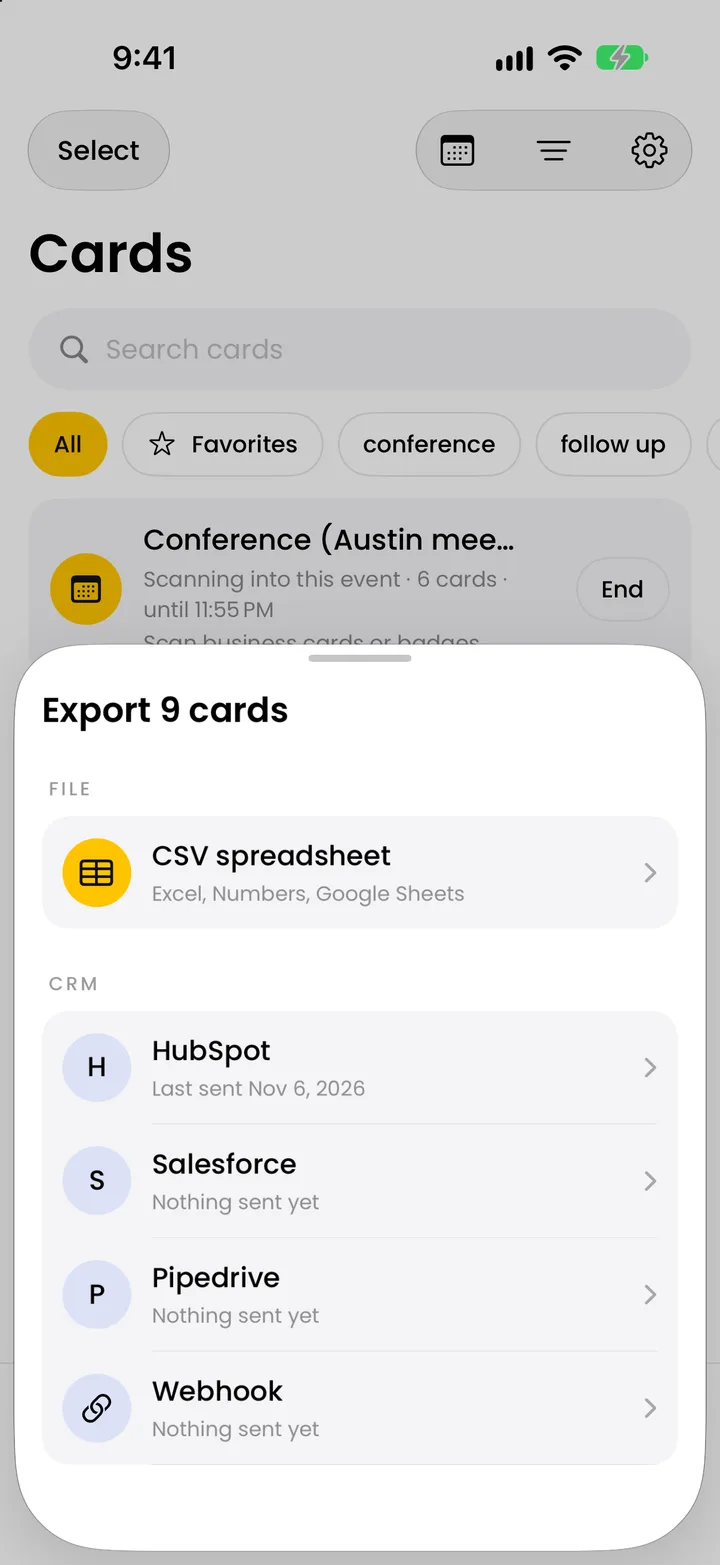
You come back from a show with 40 cards, and typing them into this sheet is the slow part. Krane, on iPhone, iPhone Duo and iPad, reads each card into a contact. With Krane Pro it exports a CSV with the same columns as the default set here, and Event, Met At and Tags come filled in from the event you started. The business card scanner is free for 10 scans a week; CSV export is Krane Pro. For a booth, see trade show lead capture. Krane can’t import this template or any other CSV.
FAQ
Questions about the contact list template
Is the contact list template free?
Yes. There is no account and no email address to enter. The page builds the file in your browser and downloads it, so no file sits on a server and nothing is uploaded. It comes from Krane, a business card scanner for iPhone, iPhone Duo and iPad.
Does the contact list template work in Excel?
Yes. Download .xlsx gives you an Excel workbook with one sheet named “Contacts”. The header row is bold on a yellow fill and stays frozen at the top when you scroll, the column widths are set, and the phone, fax and postal code columns are formatted as text. Excel opens it on a double-click. Apple Numbers opens the .xlsx and the .csv too.
How do I open the template in Google Sheets?
Open a blank sheet, choose File > Import > Upload, pick the .xlsx or the .csv, choose “Replace spreadsheet” and click Import data. For a CSV, uncheck “Convert text to numbers, dates, and formulas” to keep phone numbers as typed. Or click Copy for Google Sheets on this page and paste into cell A1. There is no copy link, because the page keeps no sheet online.
Why did my phone numbers lose the leading zero or the plus sign?
Excel and Google Sheets treat a cell that starts with “+” or “=” as a formula or a number, and they drop leading zeros from numbers. Format the column as text before you type. In Excel that is Home > Number format > Text; in Sheets, Format > Number > Plain text. The .xlsx from this page already has its phone, fax and postal code columns set to text.
Why does Excel show strange characters instead of accents?
When you double-click a UTF-8 CSV that has no byte-order mark, Excel reads it as the old Windows code page, and “é” comes out as “é”. The CSV from this page starts with the mark by default, so Excel shows accents and non-Latin names correctly. A checkbox turns the mark off for a program that doesn’t want it. Or download the .xlsx instead.
Can I import the filled list into Google Contacts or Outlook?
Yes, if you started from that column set. Delete the example rows and save the sheet as a CSV. For Google, go to contacts.google.com, choose Import and pick the file; one file holds up to 3,000 contacts. In classic Outlook on Windows, choose File > Open & Export > Import/Export, then Import from another program or file, then Comma Separated Values. Outlook expects headers in the language it runs in.
Can I turn the filled list into contacts on my phone?
Yes, in two steps. Save the filled list as a CSV, then open the VCF to CSV converter on this site, switch it to CSV → VCF and drop the file in. It recognizes the header names of all six column sets. The download is a .vcf, the vCard file that phones import. Open it on the phone to add the contacts.
Can Krane import this template?
No. Krane has no importer for this template or for any CSV. It fills its list by scanning paper business cards and event badges with the camera, and with Krane Pro it exports a CSV with the same columns as the default set on this page. Use the template for a list you type by hand.
Scan the cards and the list is already typed.
Free for 10 scans a week. Krane Pro adds unlimited scans, export and CRM sync.
On a computer? Point your iPhone camera at the code, or text me the link.