Free tool
Trade show ROI and cost per lead calculator
A cost per lead calculator and ROI calculator for a trade show, conference or any event. Type your own costs and results over the example numbers to get cost per deal, ROI and break-even.
Runs in your browser. Nothing is uploaded, no account.
ROI 140%
Example
ROI 140%. 9 deals from 150 leads. Cost per lead $120, cost per deal $2,000.
People
Money
The tick on the return bar is break-even: where the return equals the cost.
- Cost per lead
- $120
- Cost per qualified lead
- $400
- Cost per deal (acquisition cost)
- $2,000
- Pipeline value
- $360,000
- Revenue
- $72,000
- Gross profit at 60%
- $43,200
- Break-even deals
- 4
- Break-even leads
- 63
How to calculate trade show ROI and cost per lead
Trade show ROI is the gross profit from the show minus its total cost, divided by the total cost, as a percentage. Gross profit is the revenue from deals the show produced multiplied by your gross margin; with no margin entered, ROI is (revenue − cost) ÷ cost. Cost per lead is the total cost divided by the number of leads.
The table follows the calculator’s order. Three results are not in it:
- Pipeline = qualified leads × deal value.
- Cost per qualified lead = total cost ÷ qualified leads.
- Break-even leads = break-even deals, unrounded, ÷ (qualified share × close rate), rounded up.
| Step | Formula | Example |
|---|---|---|
| Total cost | Sum of the cost lines | $6,000 + $4,000 + $1,500 + $3,000 + $2,500 + $800 + $200 = $18,000 |
| Leads | Typed, or visitors × capture rate | 150 |
| Qualified leads | Leads × qualified share | 150 × 30% = 45 |
| Deals | Qualified leads × close rate | 45 × 20% = 9 |
| Revenue | Deals × average deal value | 9 × $8,000 = $72,000 |
| Gross profit | Revenue × gross margin | $72,000 × 60% = $43,200 |
| ROI | (Gross profit − total cost) ÷ total cost | ($43,200 − $18,000) ÷ $18,000 = 140% |
| Cost per lead | Total cost ÷ leads | $18,000 ÷ 150 = $120 |
| Cost per deal | Total cost ÷ deals | $18,000 ÷ 9 = $2,000 |
| Break-even deals | Total cost ÷ (deal value × margin), rounded up | $18,000 ÷ ($8,000 × 0.6) = 3.75 → 4 |
These numbers are made up to show the arithmetic; they are not a benchmark. Enter a margin: ROI on revenue overstates the return when the product costs money to deliver. Deals from a show can take months to close, so run the calculator again when they do.
Event and conference ROI
The same formulas measure the ROI of a conference, a sponsorship or an event you host. Only the cost lines change. A sponsorship or registration fee goes in Booth space, tickets and flights in Travel and hotel, and the venue and catering of your own event in Other.
At a conference where you have no booth, your leads are the people you spoke with and got contact details from, each with a card or badge scan and a note on what they asked about.
Decide two things before the event: what counts as a lead, and how deals will be credited to it, usually a lead source or tag in the CRM. Without both, nobody can measure the event’s ROI months later, when the deals close.
What to count as the cost of a show
Count everything the show cost. Booth space is the fee for the floor. Booth build and graphics covers the stand, its printing and the install. Shipping and drayage is the freight to the venue plus drayage, the venue’s charge for moving your crates from the loading dock to your booth. Travel and hotel takes flights, rooms and meals. Staff time is salary for the days at the show, not only expenses. Promo and giveaways covers pens, bags and the pre-show mailing. Other takes lead retrieval rental, power, internet, furniture and sponsorships. Leaving staff time out makes the show look cheaper than it was.
Why lead capture decides the result
Every figure below Total cost is multiplied from the lead count. A conversation at the booth that nobody recorded is a lead the formula never sees. One recorded without a way to reach the person, no email, no phone, a badge photo with no notes, counts as a lead but can’t become a deal, so it lowers the qualified share and the close rate.
Get a contact detail you can use, plus one note on what the visitor asked for. Ask about budget, timing and who decides while the person is in front of you; then the qualified share you type later is a count.
Leads lost between the booth and the CRM
The leads that count are the ones a salesperson can follow up from the CRM. Between the booth and that record, leads go missing: cards left in a tote bag, badge scans exported from the show’s own system days later, a spreadsheet typed up by hand from a stack of cards, two reps scanning the same visitor. A folder of .vcf contact files from the show opens in the VCF viewer and converter and comes out as one spreadsheet.
Run the calculator twice: with the leads collected at the booth, then with the number that reached the CRM. The gap between the two ROI figures is what the lost leads cost.
How to raise trade show ROI
- Capture every conversation. A scan or a card for each person you talk to raises Leads, and every figure below it.
- Qualify at the booth and write one note. That raises Qualified share and tells sales whom to call first.
- Follow up within days, while the visitor still remembers your booth. That shows up in Close rate.
- Cut cost lines that bring no leads: a stand larger than you can staff, giveaways nobody keeps. That lowers Total cost.
- Pick shows your buyers attend. A smaller show with a higher qualified share can beat a bigger one; compare two with the visitors × capture rate option.
A vCard QR code on the booth sign lets visitors save your contact as well.
Krane for iPhone
With Krane, every lead from the booth reaches the CRM
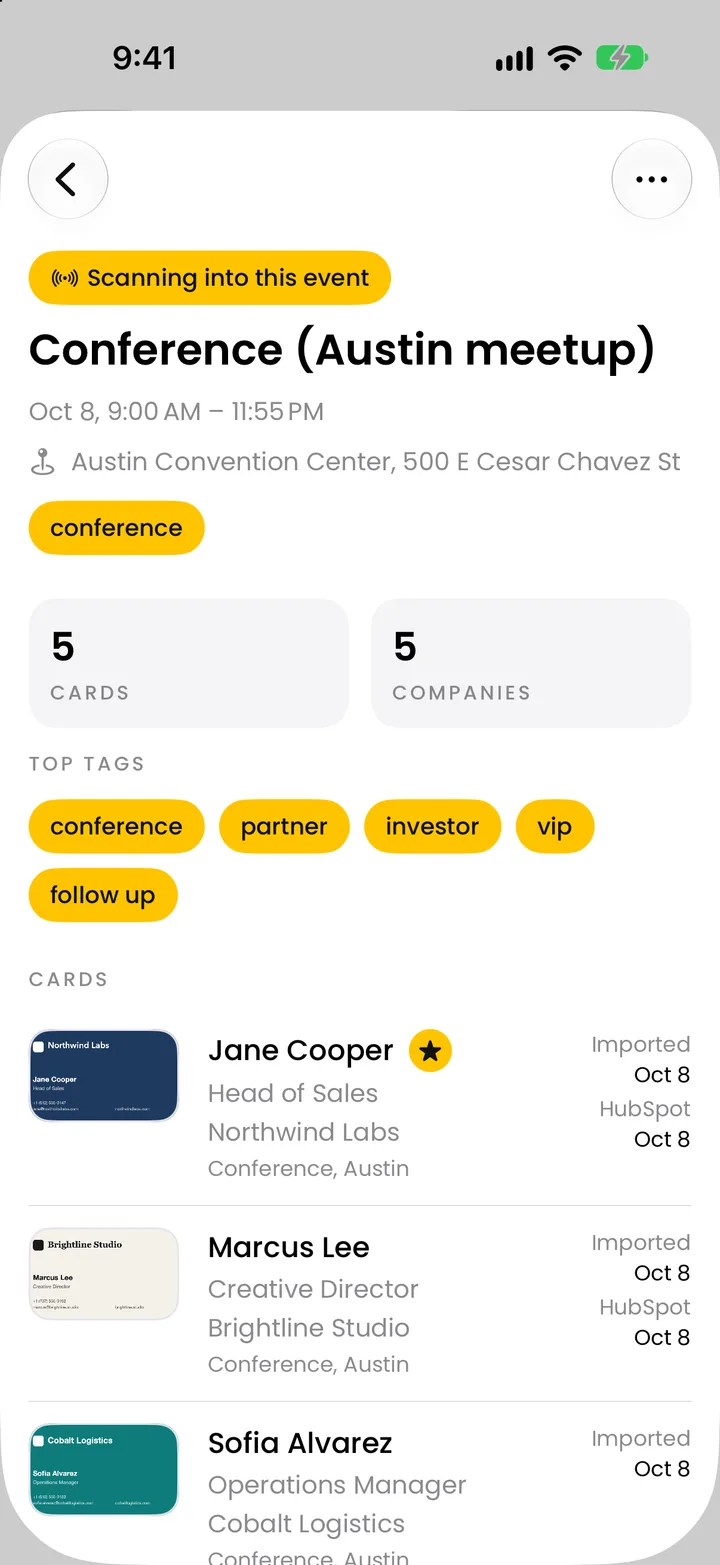
Krane is an app for iPhone, iPhone Duo and iPad. Its business card scanner and badge scanner read what people hand you at the booth, and every scan is filed under the show. Each card is read on your iPhone right away, with no signal, and checked again when you’re back online. With Krane Pro, you send the whole event to HubSpot, Salesforce or Pipedrive, or export a CSV, so the lead count you paid for is the lead count that reaches the CRM. Free for 10 scans a week. More on trade show lead capture.
FAQ
Questions about trade show ROI
What is a good ROI for a trade show or event?
There is no single figure. Any ROI above 0% means gross profit covered the cost of the show or event; below 0% it didn’t. Whether 40% or 200% is good depends on your margin and on how long your deals take to close. Compare it with your other channels, and with the same event last year, using the same formula and the same cost lines each time.
How do you calculate cost per lead at a trade show?
Divide the total cost of the show by the number of leads captured. In the example, $18,000 ÷ 150 leads = $120 per lead. Cost per qualified lead divides by qualified leads instead: $18,000 ÷ 45 = $400. The second figure is the better one to compare across shows, because it leaves out visitors who were never going to buy.
Should I use revenue or profit to calculate ROI?
Gross profit. Revenue includes money you will spend delivering the product, so ROI on revenue looks better than the show did. Enter your gross margin and the calculator uses revenue × margin. Leave margin blank and it counts the whole deal value as return, which is ROI on revenue; in the example that turns 140% into 300%.
How many leads do I need to break even?
Break-even deals = total cost ÷ (average deal value × gross margin), rounded up. Break-even leads = that figure before rounding ÷ (qualified share × close rate), rounded up. In the example: 18,000 ÷ (8,000 × 0.6) = 3.75, so 4 deals; 3.75 ÷ (0.3 × 0.2) = 62.5, so 63 leads. With fewer than 63 captured leads, at those rates, the show loses money.
Is my data sent anywhere?
No. The calculator runs in your browser; nothing you type is uploaded or stored by kraneapp.com, and there is no email or account. “Share these numbers” writes the figures into the link itself, after the # sign, which browsers don’t send to the server; anyone who opens the link sees the same inputs. It works on any computer or phone with a modern browser.
What should I count as a lead?
A person whose contact details you have and who agreed to hear from you: a badge scan, or a business card with a note on what they asked about. People who walked past the booth or took a pen are visitors, not leads. If you only know how many people came by, use the booth visitors × capture rate option to estimate the lead count.
How do I track which deals came from a show?
Put the show’s name on every lead when it enters the CRM, as the lead source or a tag, so you can count the closed deals months later and run the calculator again. Krane files each scan under its event; with Krane Pro the event name goes into the Salesforce Description field and into a Pipedrive note, so the deals from that show can be filtered later.
Get every lead from the booth into your CRM.
Free for 10 scans a week. Krane Pro adds unlimited scans, export and CRM sync.
On a computer? Point your iPhone camera at the code, or text me the link.