Free tool
Open a VCF file and convert it to CSV
Open a .vcf (vCard) file to see every contact, download them as a CSV for Excel, Google Sheets or a CRM, or turn a CSV into a .vcf. The file stays in your browser.
Runs in your browser. Nothing is uploaded, no account.
Preview
Drop a .vcf file or paste vCard text, and the rows appear here.
What is a VCF (vCard) file?
A VCF file holds contacts in the vCard format, the standard that phones and email programs use to exchange contact details; .vcf is the file extension. It is plain text. Each contact runs from BEGIN:VCARD to END:VCARD, one detail per line: FN for the name, then TEL, EMAIL, ADR (address) and ORG (company). One file can hold a single contact or a whole address book.
Versions 2.1, 3.0 and 4.0 are in use, and they write some lines differently. A spreadsheet can’t use the file as it is, because it needs a row per contact and a column per field. More on what a VCF file holds, line by line and on how the vCard format’s versions differ.
How to open a VCF file on Windows, Mac, iPhone and Android
Each system opens a .vcf by importing it into its address book.
- On Windows, Outlook imports contacts from a CSV, not a .vcf. Microsoft’s own route for a .vcf goes through the Windows Contacts folder, which asks you to click OK for each contact, then exports a CSV for Outlook.
- On a Mac, double-click the file and Contacts opens it; click Add to import.
- On an iPhone, tap the .vcf attachment in Mail or Messages to import its contacts.
- On Android, open the Contacts app, tap Organize, then Import from file, and pick the .vcf.
To look inside first, drop the file on this page. It runs in any browser and changes no address book.
How to convert a VCF file to CSV
- Get the .vcf. The next section shows where iPhone, iCloud, Google Contacts and Outlook export one.
- Drop the file here, choose it from a folder or paste the vCard text. Several files at once are fine.
- Pick a column set: Excel / Google Sheets, Google Contacts, Outlook, HubSpot, Salesforce (Lead) or Krane.
- Check the preview before you download. The table shows the first 10 contacts in the columns you picked, and Show all lists every one. The line under it counts the contacts and lists any line the tool couldn’t read.
- Download the .csv. It holds every contact, in UTF-8 with a byte-order mark, so Excel shows accents correctly on a double-click. Turn the mark off for a tool that doesn’t want one.
Getting a .vcf out of your iPhone, iCloud, Google or Outlook
On the iPhone, open a person in Contacts and tap Share Contact. On iOS 17 and later, tap and hold a list name, or select several contacts, to share them as one file.
On icloud.com/contacts, choose Select All Contacts, then Export vCard from the Actions menu, which puts every iPhone contact in one file.
At contacts.google.com, choose Export, then vCard (for iOS Contacts).
Classic Outlook on Windows saves one contact as a .vcf and exports the whole list as a CSV through File > Open & Export > Import/Export. It wants CSV headers in the language it runs in; the Outlook column set here writes the English ones.
Which column set to pick
| Destination | Column set | Notes |
|---|---|---|
| Excel, Google Sheets or Numbers | Excel / Google Sheets | One row per contact, plain headers. Several emails or phones share a cell, separated by “; " |
| Google Contacts | Google Contacts | Google’s import headers; each email and phone is a Label and Value pair |
| Outlook | Outlook | Outlook’s field names: Business Phone, Mobile Phone, E-mail Address |
| HubSpot | HubSpot | Contact property labels: First name, Email, Phone number |
| Salesforce | Salesforce (Lead) | Lead field labels: Last Name, Company, Title |
| A sheet laid out like Krane’s export | Krane | Krane’s export columns; Tags, Event and Met At stay empty, since a .vcf has no such fields |
Import screens match columns to fields by header name, so matching names spare you mapping each column by hand.
CSV to VCF: the other way
Switch the direction at the top to CSV → VCF and drop in a CSV, or paste the rows. Comma and semicolon separators are both detected. Each column is matched to a contact field by its header, and a menu beside it changes the match. The download is one .vcf in vCard 3.0 with every contact: open it on your iPhone, or import it into Google Contacts or Outlook. For a QR code that holds one contact, use the business card QR code generator.
Accents, columns and other common problems
- Excel shows “é” instead of “é”. It read a UTF-8 file as the old Windows code page. Leave the byte-order mark on, or use Data > From Text/CSV and pick 65001: Unicode (UTF-8).
- Every contact lands in one column. Your Excel expects semicolons, as it does in several European locales. Open the file through Data > From Text/CSV and set the delimiter.
- Phone numbers lost a leading zero or the “+”. Excel guessed they were numbers; import the column as text.
- A contact is missing. Check the skipped lines under the preview.
- Salesforce rejects rows. A Lead needs a Last Name and a Company.
- Photos are skipped. A CSV can’t hold them.
Guides for this tool
- The vCard format, line by lineVersions 2.1, 3.0 and 4.0, line by line
- What a VCF file is and how to open itWhat's inside a vCard and how to open it
Krane for iPhone
With Krane: the cards that never become a .vcf
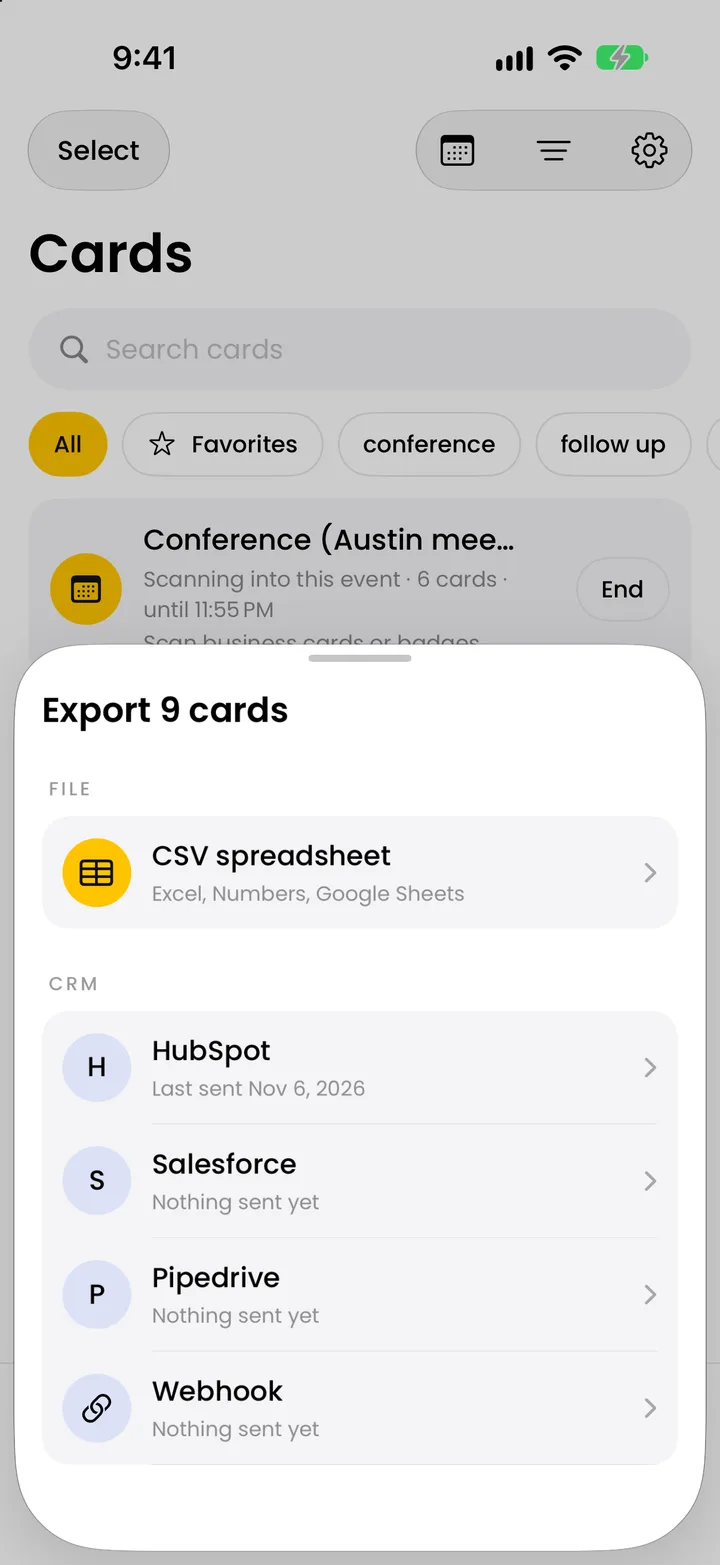
This page converts contact files you already have. Paper cards from a show never need typing. Krane, on iPhone, iPhone Duo and iPad, photographs each card and reads it into a contact. With Krane Pro it exports the same CSV as the Krane column set above, or sends cards to HubSpot, Salesforce or Pipedrive. The business card scanner is free for 10 scans a week; CSV export and CRM sync are Krane Pro, on the pricing page. Krane can’t import a .vcf or CSV file.
FAQ
Questions about converting vCard and CSV
Is this VCF to CSV converter free and private?
Yes. There is no account and no email address to enter. The page does the conversion in your browser: the .vcf you drop in is read on your own computer or phone, and nothing is sent to kraneapp.com. You can turn off Wi-Fi after the page loads and it still works. The people who make Krane, the iPhone business card scanner, built it.
Why does Outlook or Windows only show the first contact in my .vcf?
Microsoft’s Outlook help says that when a vCard holds several contacts, only the first appears in Outlook’s window. Outlook for Windows imports contacts from a CSV, not a .vcf. Drop the file here instead and Show all lists every contact in it. Pick the Outlook column set, download the CSV and import it in Outlook through File > Open & Export > Import/Export. The CSV holds every contact.
How do I export all my iPhone contacts to Excel?
The iPhone shares contacts only as a .vcf, and Excel can’t open a .vcf with many contacts in it. Sign in at iCloud.com, open Contacts, select all and export them as a vCard; or in the iPhone’s Contacts app, select the contacts and share them. Drop that file here, pick the Excel / Google Sheets column set and download the CSV. Excel opens it with one row per contact.
Why does Excel show strange characters instead of accents?
When you double-click a UTF-8 CSV that has no byte-order mark, Excel reads the bytes as the old Windows code page, and “é” comes out as “é”. This tool writes the mark by default, so Excel reads the file as UTF-8. If you turned it off, or the file came from somewhere else, use Data > From Text/CSV and choose 65001: Unicode (UTF-8) as the file origin.
Can I convert a CSV back to a vCard (.vcf)?
Yes. Switch the direction at the top to CSV → VCF, drop or paste the CSV, and check that each column found the right contact field; change any match in its menu. The download is one .vcf in vCard 3.0 with all the contacts, which iPhone, Google Contacts and Outlook can import. A comma or a semicolon separator is detected.
Which vCard versions does it read?
vCard 2.1, 3.0 and 4.0, in one file or many. That covers exports from iCloud and the iPhone’s Contacts app, Google Contacts with its “item1.” labeled fields and custom labels, Outlook, and older phones that wrote quoted-printable text. Folded long lines are joined, and files in UTF-8, UTF-16 or Windows-1252 are read. Photos inside the file are skipped.
Can I import the CSV into HubSpot or Salesforce?
Yes. Pick the HubSpot column set and the headers come out as HubSpot’s contact property labels (First name, Email, Phone number, Company name), so HubSpot’s import matches them on its own. Pick Salesforce (Lead) for Salesforce’s Lead field labels. Salesforce rejects a lead with no Last Name or Company, so fill those in before you upload.
How many contacts can it convert at once?
The tool sets no limit. Your browser does the work, and a file with thousands of contacts converts on a computer without trouble. The limits are at the other end: Google Contacts imports up to 3,000 contacts per CSV file, so split a larger export into several files before importing there.
Can Krane import my .vcf or CSV file?
No. Krane has no importer. It reads paper business cards and event badges with the camera and exports a CSV of its own, the Krane column set on this page. It can add a scanned card to Apple Contacts and share a card as a vCard, so contacts move out of Krane, not into it. Use this page for the files you already have.
The paper cards you collect never need typing.
Free for 10 scans a week. Krane Pro adds unlimited scans, export and CRM sync.
On a computer? Point your iPhone camera at the code, or text me the link.